
For teams, offices and remote crews
A hosted game night for your team
We run the whole hour on your video call. Your team joins from their own phones with a room code and just plays. Nothing to install, no accounts, and nobody on your side has to prepare anything.
- 60 minutes
- Up to 15 people for $399
- Zoom, Google Meet, Microsoft Teams
- Play in any of 20 languages
How it works
Three steps, one of them ours
- 1
Pick a date
Send the form with two or three dates that suit the team. We answer by email with the times we can do and confirm one.
- 2
We set it up
You get a calendar invite with the video-call link and the room code. Forward it to the team. That is the whole preparation.
- 3
The host runs it
A host from Game Night Central explains each game in a minute, keeps the pace, and crowns a winner at the end. Your team plays from their phones.
The hour
Four games that work with colleagues
Nothing that asks anyone to confess something to their manager. This is the default programme; say in the form if you want a game swapped.
 Warm-up10 min
Quick Minds
Fast questions with a timer, so everyone is awake and nobody has to speak yet.
 Main game20 min
Pictionary
Drawing on a phone. A manager who cannot draw is the best thing that can happen to a team call.
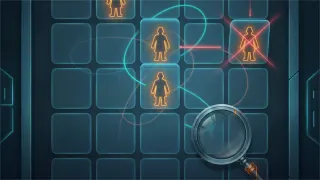 Main game20 min
LinkLogic
Two teams, one-word clues. The one game here that rewards knowing your colleagues well.

The price
$399
for up to 15 people, 60 minutes
- Each extra person $15, up to 30 people in one night.
- Paid by invoice after we confirm the date. No payment on this page.
- Move or cancel free up to 48 hours before the night.
- On Zoom, Google Meet, Microsoft Teams, with your link or ours.
Good for
- An office holiday party
- A team that has never met in person
- Onboarding week for new hires
- A Friday wind-down
- The end of a hard quarter
Request a date
Tell us about the team
Two or three dates that suit you, how many people, and anything we should know. We reply by email.
Prefer email? Write to gamenightcentralnet@gmail.com with your team size and dates.
Questions
What teams ask first
- Does anyone need an account or an app?
- No. Each person opens the site on their phone or laptop and types a room code. Nothing to install, nothing to sign up for.
- Which video call do you use?
- Yours or ours: Zoom, Google Meet, Microsoft Teams. The host shares the game screen and runs the rounds; your team keeps its cameras on and plays from their own devices.
- Does the team have to play in English?
- No. The host speaks English, but each person uses the site in their own language (20 to choose from), and Pictionary can run words in up to 5 languages in the same room.
- How many people can join?
- The base price covers up to 15 people, each extra person is $15, and one night takes up to 30. For a bigger team, ask and we will split the room.
- Can we pick the games?
- Yes. The programme above is the default, and it works for colleagues who are not close friends. Say in the form if you want something swapped, for example a quiz round about your own company.
- How do we pay?
- By invoice, after we confirm the date. There is no payment on this page.
- What if the date changes?
- Move or cancel free up to 48 hours before the night.
Want to run it yourself instead? The games are free: see online games for remote teams and the virtual office holiday party guide.